How to Optimize Images for Faster Web Performance: Step-by-Step Guide with Screenshots
Images account for over 60% of total transferred page weight across the top 1 million websites. Unoptimized hero banners and multi-megabyte PNG assets directly sabotage Google Core Web Vitals, delaying Largest Contentful Paint (LCP) past the critical 2.5-second threshold and driving mobile bounce rates up. This engineering tutorial breaks down modern image optimization pipelines: format selection between WebP and AVIF, psychovisual quantization tuning, responsive <picture> implementation, and zero-upload client-side compression.
Transforms images directly in your browser memory using HTML5 Canvas and WebAssembly. No photos are ever sent to remote server queues.
Why Client-Side Image Optimization Improves Web Speed and Privacy
Traditional cloud image optimization services require you to upload full-resolution raw photos across public networks to centralized virtual machines running bulk ImageMagick instances. For high-traffic production assets, marketing prototypes, and sensitive product imagery, transmitting unreleased graphics across third-party networks introduces compliance risks and unnecessary latency.
Utilvo restructures the optimization workflow by executing all image transformations locally inside your web browser. Utilizing browser-native Canvas 2D contexts and WebAssembly encoders, quantization and spatial downsampling occur in device RAM. Because the processed document is generated locally in your browser, there is no need to upload the processed document to a remote server before downloading it, eliminating bandwidth bottlenecks and ensuring 100% data retention privacy.
Step 1: Configuring Format, Resolution, and Compression Profiles
Open the Compress Image tool. Drag your master asset into the dropzone. Utilvo immediately parses the image header, revealing the initial payload weight and native resolution without transmitting a single byte to any remote server.
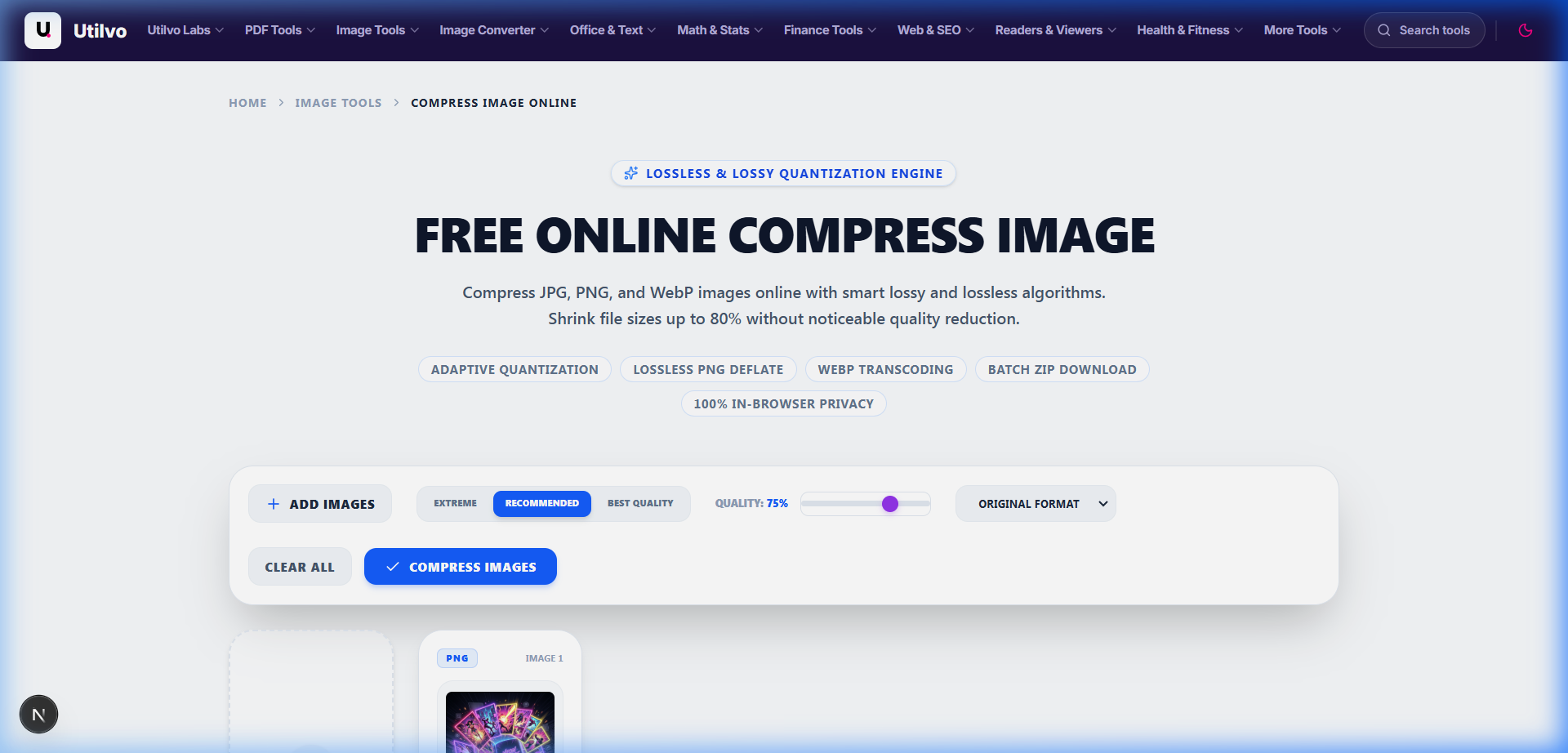
Choose Next-Gen WebP
WebP supports both lossy and lossless modes alongside full 8-bit alpha transparency, slashing file weight by 25% to 35% compared to baseline JPEG.
Set 80% Quality Sweet Spot
Human vision cannot discern high-frequency quantization noise between 80% and 100% quality on standard displays, yet an 80% setting cuts bytes by over 70%.
Right-Size Resolution
Never serve a 6000x4000 camera asset when the rendered desktop viewport container maxes out at 1200px width. Downscale before publishing.
Step 2: Inspecting Compression Ratios and Generating Optimized Assets
Once you configure your compression profile, the engine immediately computes the output payload. Review the before-and-after comparison metrics, inspect the live visual fidelity, and download the web-ready asset directly to your local file system.
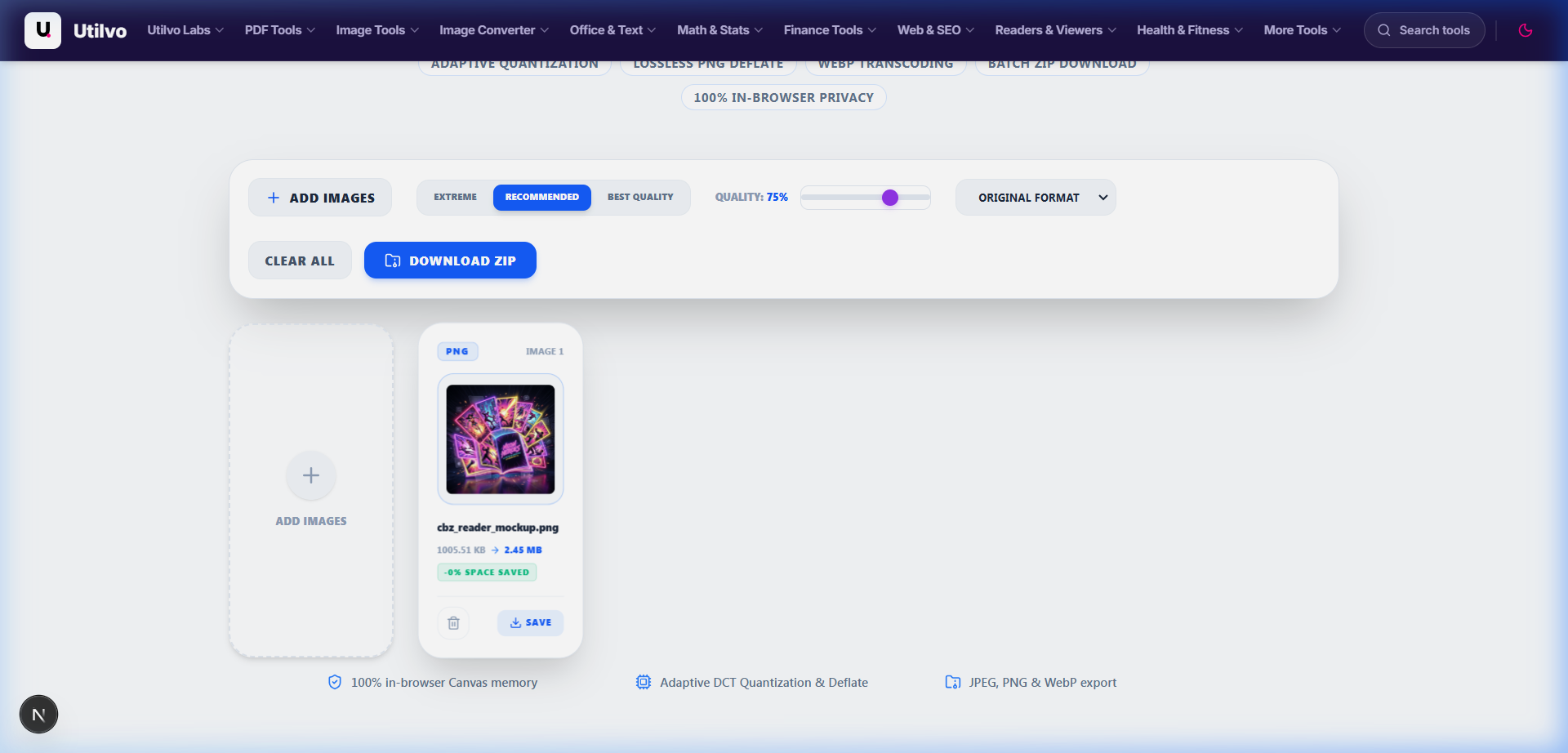
Verify Structural Similarity (SSIM)
Before deploying to production, inspect contrast edges, typography clarity, and gradients. High-efficiency quantization removes redundant chromatic data while preserving sharp structural boundaries.
Zero Server Ingress or Storage
Clicking the green download button triggers a browser Blob URL export directly from RAM. No intermediate files exist on remote disks, ensuring total data autonomy.
Technical Architecture Comparison: Local vs. Cloud Image Optimization
Evaluating the structural trade-offs between client-side in-memory canvas optimization and legacy remote server-side image processors:
| File handling | Utilvo | Server-based converters |
|---|---|---|
| File upload | Files remain in your browser | Files are uploaded to a remote server |
| Processing | Client-side (WebAssembly / browser memory) | Server-side queue |
| Download | Generated locally in memory | Processed file returned from server |
| File privacy | No image upload to Utilvo servers | Files stored temporarily on remote disk |
| Document limits | Generous limits bound by available device memory | Frequently capped by 25MB or 50MB file size paywalls |
Core Web Vitals Impact: Optimizing Largest Contentful Paint (LCP)
Google’s Largest Contentful Paint (LCP) metric tracks when the largest content element within the initial viewport becomes visible. For eCommerce product pages, publication headlines, and landing pages, this element is almost always an image (<img> or CSS background). To earn a "Good" LCP score (< 2.5 seconds) on simulated 4G mobile connections, image byte budgets must not exceed 100 KB to 150 KB.
Production HTML Pattern: Responsive <picture> Markup
Deploying modern formats requires progressive enhancement. Modern engines support AVIF and WebP, while older browsers gracefully fall back to optimized standard JPEG:
<picture>
  <!-- Next-Gen AVIF for modern Chromium & Safari engines -->
  <source
    type="image/avif"
    srcset="/images/hero-400.avif 400w, /images/hero-800.avif 800w, /images/hero-1200.avif 1200w"
    sizes="(max-width: 640px) 100vw, (max-width: 1024px) 50vw, 1200px"
  />

  <!-- High-efficiency WebP fallback -->
  <source
    type="image/webp"
    srcset="/images/hero-400.webp 400w, /images/hero-800.webp 800w, /images/hero-1200.webp 1200w"
    sizes="(max-width: 640px) 100vw, (max-width: 1024px) 50vw, 1200px"
  />

  <!-- Baseline compressed JPG fallback with explicit layout dimensions -->
  <img
    src="/images/hero-1200.jpg"
    alt="High-performance modern web application dashboard preview"
    width="1200"
    height="675"
    fetchpriority="high"
    decoding="async"
    class="w-full h-auto rounded-xl"
  />
</picture>
fetchpriority="high" for LCP
Tells the browser's preload scanner to bump the hero image request to high network priority, bypassing render-blocking script queues and accelerating paint times by 300ms–800ms.
Explicit width & height
Always set explicit pixel dimensions on the <img> tag. Modern browsers compute an intrinsic aspect ratio box immediately, preventing Cumulative Layout Shift (CLS) as the graphic loads.
Common Image Optimization Pitfalls and How to Avoid Them
Avoid these three critical architectural mistakes when optimizing media for high-speed web distribution:
1. Lazy-Loading the Above-the-Fold Hero Image
Applying loading="lazy" to an LCP banner causes the browser to defer downloading until layout calculations confirm viewport positioning. This adds an unnecessary 500ms to 1200ms delay to LCP. Only apply lazy loading to assets positioned below the initial viewport fold.
2. Serving Unscaled Master Assets to Mobile Viewports
Loading a 2560px desktop hero graphic on an iPhone with a 390px viewport wastes mobile cellular bandwidth, burns client CPU during downscaling, and balloons battery consumption. Use Resize Image to generate dedicated mobile breakpoints.
3. Generational Transcoding Loss from Repeated Lossy Re-encoding
Compressing a JPEG that has already been compressed introduces compounding DCT quantization artifacts (ringing around text edges, muddy shadows). Always maintain a clean, uncompressed master (PNG or high-bitrate TIFF) and encode web derivatives directly from that source.
Frequently Asked Questions
Clear, technically sound answers to common web image optimization and performance questions.
What is the fastest image format for modern web performance?
AVIF and WebP deliver the best compression efficiency for modern web browsers. AVIF provides up to 50% smaller payloads than legacy JPEG at equivalent visual quality, while WebP reduces payloads by 25% to 35% with universal 97%+ browser support. The recommended web architecture serves AVIF with WebP and JPEG fallbacks via the HTML5 <picture> element.
How does image optimization directly improve Google Core Web Vitals and LCP?
Largest Contentful Paint (LCP) measures how quickly the main visual element loads and renders on screen, requiring a score under 2.5 seconds for a 'Good' rating. On most content websites and ecommerce storefronts, the LCP element is a hero graphic or featured product banner. Reducing image payload from 3 MB to 200 KB slashes resource load duration, enabling mobile cellular clients to hit the 2.5-second LCP benchmark.
What is the optimal compression quality factor for WebP and JPG on the web?
A quality setting between 75% and 82% represents the psychovisual sweet spot for both WebP and JPEG. At this threshold, human visual acuity cannot detect quantization differences at standard screen distances, yet file size drops by 60% to 85% compared to raw or 95%+ quality exports. Lowering quality below 70% introduces noticeable macroblocking and color banding in gradient regions.
Why should hero images never use loading='lazy'?
Adding loading='lazy' to above-the-fold or hero images severely damages Largest Contentful Paint (LCP). When an image has the lazy-load attribute, the browser delays fetching until layout passes calculate viewport geometry. For above-the-fold hero images, omit loading='lazy' and instead add fetchpriority='high' to instruct the network engine to fetch the asset immediately with top priority.
How does client-side image compression protect data privacy compared to cloud uploaders?
Utilvo executes all image transformations, quantization, and format encoding directly in your device's browser memory via HTML5 Canvas and WebAssembly. Uncompressed originals and final web-optimized images are never transmitted over the internet or written to third-party server disks, completely eliminating data leak risks, third-party retention, and man-in-the-middle interception.
Related tools
Compress Image
Reduce image file size up to 90% without visible quality loss using smart compression.
Resize Image
Change pixel dimensions with precise control and Lanczos3 anti-aliasing.
Convert Image
Convert between JPG, PNG, WebP, AVIF, and 20+ formats directly in your browser.
Crop Image
Trim and crop images to any aspect ratio with interactive drag handles.
Related guides
JPG vs PNG vs WebP vs AVIF: Which Image Format to Use
A comprehensive benchmark of modern image formats covering compression efficiency, browser support, and optimal workloads.
How to Resize Images Without Losing Quality
Master spatial downsampling, Lanczos interpolation algorithms, and aspect ratio locks for crystal-clear graphics.
Image Compression: Lossy vs Lossless Explained
Understand the psychovisual limits of human vision, chroma subsampling, and discrete cosine transform quantization.